
Bad Typography Examples: 10 Common Mistakes You Must Avoid
Ever looked at a design and felt something was “off” without knowing why? Many bad typography examples start from simple habits we overlook. With a few small fixes, your designs can instantly feel clearer and more polished.
Key Takeaways:
- Poor typography examples show how poor font choices or messy spacing can make designs hard to read.
- They reveal how weak hierarchy or alignment can confuse viewers and reduce clarity.
- Studying bad typography helps designers avoid common mistakes and create cleaner, more effective designs.
10 Common Bad Typography Examples and How to Fix Them
Typography can make or break a design. In this guide, we’ll explore 10 examples of mistakes that make your typography bad and how to fix them, helping you create clearer, more professional visuals.
1. Using Too Many Fonts

Mixing several unrelated typefaces in one layout often leads to unnecessary chaos. This problem frequently appears in posters or web headers where combined styles don’t complement each other. Ultimately, the design ends up looking disorganized.
How to fix it:
Limit yourself to two or three harmonious fonts. A classic approach is pairing a serif for body text with a sans-serif for headings. Use font weights within the same family when you need subtle variation.
Also Read: Top 10 Modern Typography Trends for Designers in 2025
2. Poor Kerning
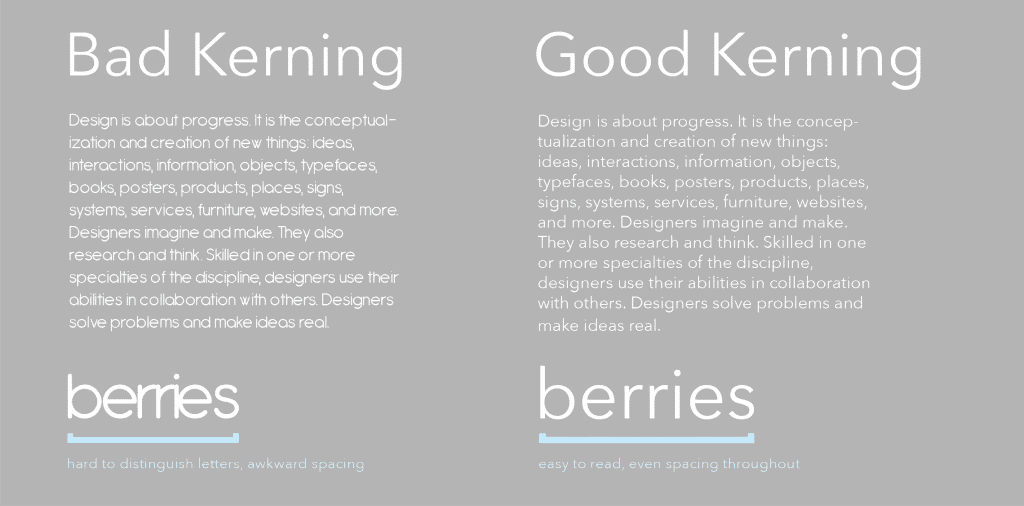
Uneven spacing between specific letter pairs can instantly make text feel off-balance. This issue becomes especially noticeable in logos or large titles, where every gap or overlap is magnified. The combination of straight and curved letters often creates optical inconsistencies.
How to fix it:
After setting your tracking and leading, manually adjust kerning in your design software. Pay extra attention to tricky pairs and punctuation marks to maintain a smooth visual rhythm.
3. Inadequate Contrast

Text that blends into the background is one of the most common bad typography examples. Low contrast weakens hierarchy and forces users to squint or guess at what they’re reading. Light text on a pale background, or even mismatched bold and regular weights, can diminish clarity.
How to fix it:
Use color values that create strong separation, increase heading sizes, or apply accent colors for emphasis. Always test contrast against accessibility standards, such as the 4.5:1 ratio for body text.
4. Excessive Centered Text
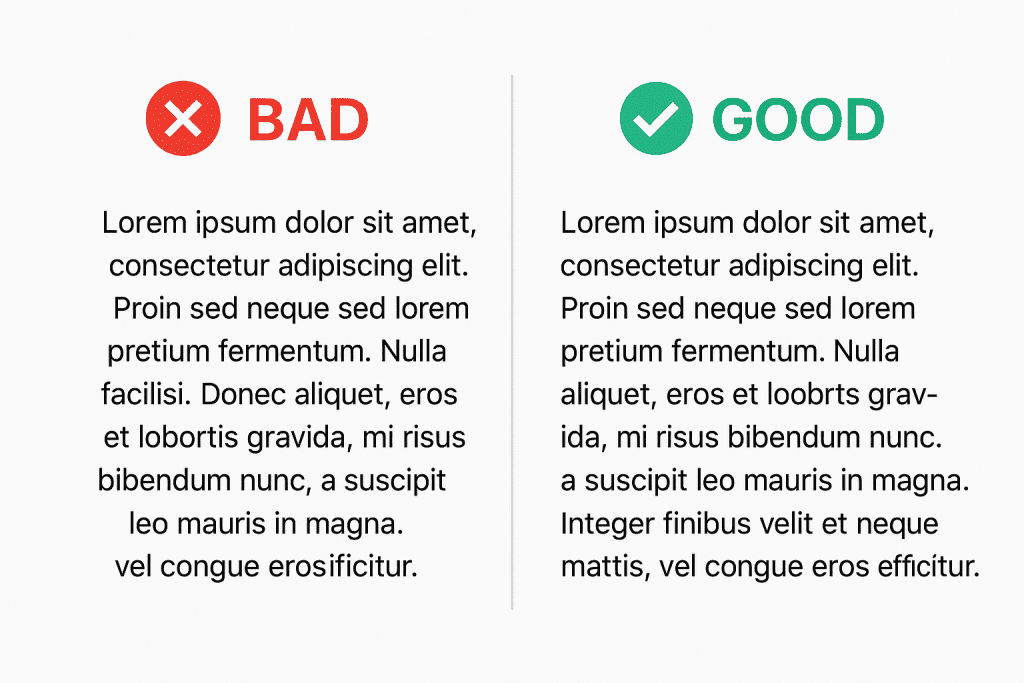
Centering long paragraphs might seem elegant at first glance, but it actually disrupts reading flow. Irregular line lengths force the eye to constantly readjust, making the experience tiring. This is especially common in DIY websites, posters, or flyers.
How to fix it:
Reserve centered alignment for short elements, such as titles, captions, or brief calls to action. For longer content, stick to left-aligned text to maintain a smooth, predictable reading pattern.
Also Read: 15 Best Kinetic Typography Examples for Modern Motion Design
5. Inconsistent Hierarchy

When headings, subheadings, and body text don’t follow a logical structure, the entire layout becomes confusing. A small heading placed under a large subheading, for example, can quickly distort the visual order and weaken overall UX.
How to fix it:
Create a clear scale: the largest size for H1, moderately smaller for H2 and H3, and the smallest for body text. Use consistent weights and styles so readers can instantly recognize importance levels.
6. Bad Leading or Tracking
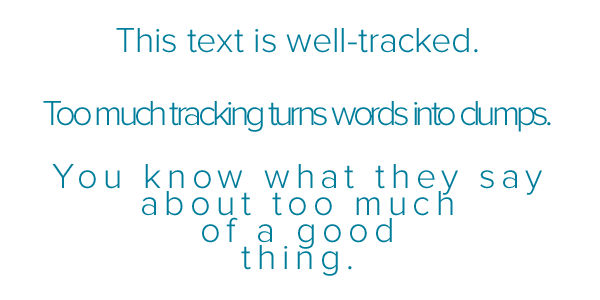
Overly tight leading squeezes lines together, while excessive tracking creates unnatural letter spacing. Both issues disrupt legibility and can make dense content feel heavy or stretched.
How to fix it:
Start with a leading set at 1.2–1.5× the font size, then refine based on the typeface. Adjust tracking evenly across a section before fine-tuning kerning. Always preview text at the size it will appear on screen.
7. Widows and Orphans
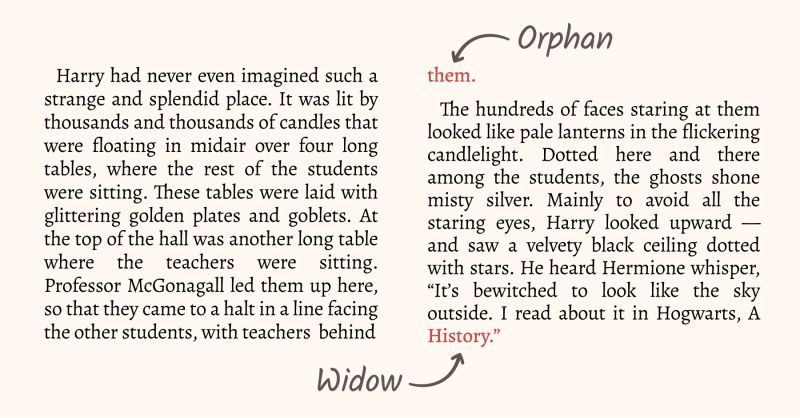
A single word dangling at the end of a paragraph (a widow) or a lone line starting a new column (an orphan) creates visual imbalance. These awkward breaks interrupt the flow of text blocks, especially in print or long-form web layouts.
How to fix it:
Slightly edit line breaks, adjust tracking, or rephrase sentences to pull words up or push them down. Aim for at least three to four words per line at the end of a paragraph.
Also Read: Blackletter Font: The Bold Heritage of Typography
8. Illegible or Overly Stylized Fonts
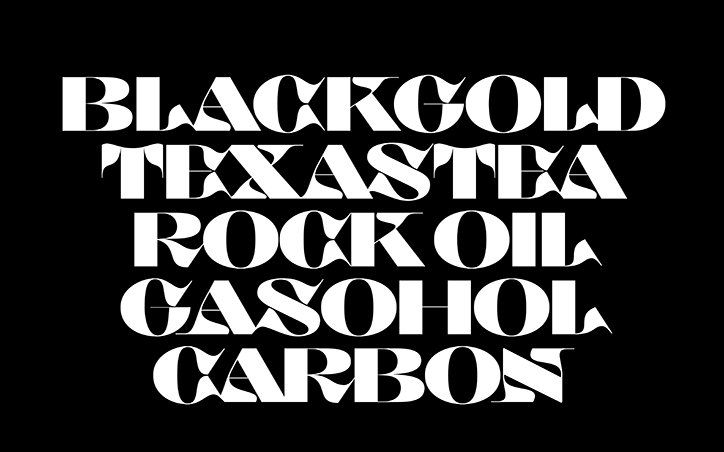
Fancy typefaces may look exciting, but when used for body text or important information, they quickly become hard to read. Fonts like Comic Sans or heavily decorative scripts often look playful but fail to convey professionalism.
How to fix it:
Choose clean, readable sans-serif fonts for body text and reserve decorative scripts for small accents. Prioritize clarity across all screen sizes and devices.
9. Improper Font Formatting

Overusing ALL CAPS, bold, italics, or mixing too many styling choices makes content feel loud and disorganized. This issue appears frequently in menus, navigation bars, or dense text blocks.
How to fix it:
Use uppercase sparingly for emphasis or short labels. Apply bold only to highlight key points or italics to stylize secondary information, and maintain consistent casing for better readability.
10. Rivers and Poor Justification
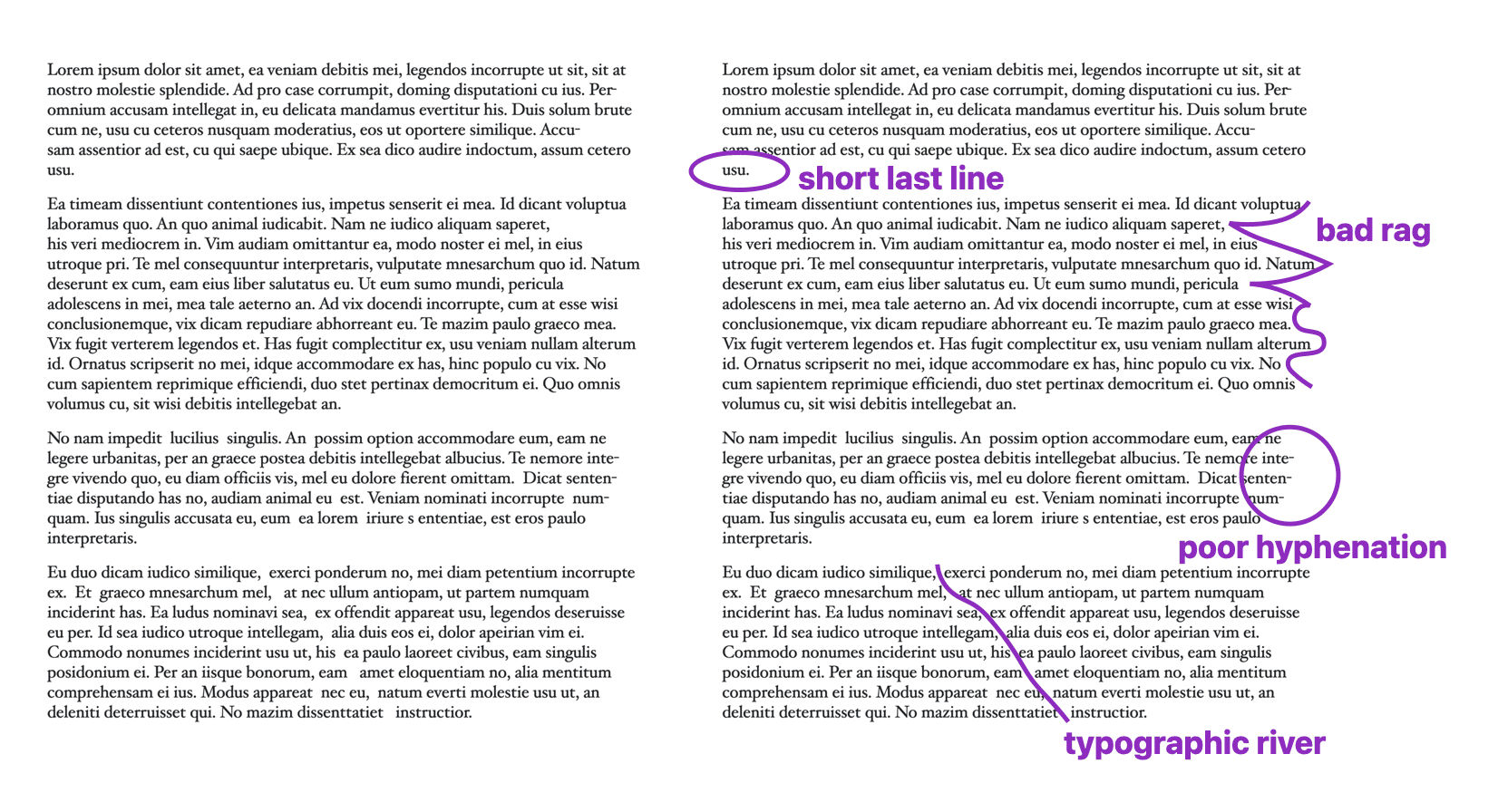
Full justification can introduce awkward “rivers” of white space running down a page. These gaps distract the eye and can make paragraphs feel uneven or patchy.
How to fix it:
Opt for left-aligned text for a natural ragged-right edge, or refine justified text with hyphenation to reduce large spacing variations.
Also Read: Kawaii Font: Where Typography Speaks Beyond Words
Avoid These Bad Typography Examples in Your Next Design!
Setting up great typography is a skill you refine over time. By recognizing these examples and understanding their fixes, you’ll create designs that feel clearer, stronger, and more intentional.
Most examples of bad typography can be avoided simply by choosing the right typeface. At HansCo Studio, you’ll find premium fonts, from modern serifs to clean sans serifs and expressive display styles, perfect for branding, logos, posters, packaging, and digital content that demand clarity and consistency.