
10 Bad Website Design Examples That Hurt User Experience
Bad website design creates immediate friction between a brand and its audience. Weak layouts, unclear typography, and inconsistent visuals quickly reduce perceived credibility. Many businesses assume content is enough, yet poor hierarchy and structure weaken message delivery.
In this article, we examine real-world examples of bad website design to highlight common mistakes and show how they can be fixed in your own projects.
Key Takeaways:
- Bad website design often results from poor visual hierarchy and inconsistent UX decisions rather than technical limitations.
- Many usability issues repeat across industries, especially cluttered layouts, low contrast, and confusing navigation structures.
- Clear typography and layout consistency play a major role in building trust and improving user engagement.
What Is Bad Website Design and Why Does It Hurt Businesses?
Bad website design refers to layouts and interfaces that confuse users rather than guide them. When navigation is unclear or visual elements compete for attention, users struggle to complete even basic tasks. This friction directly affects trust, engagement, and conversion rates.
Many design failures stem from weak UX fundamentals and limited user testing. Inconsistent visuals, poor contrast, and unclear typography often signal low credibility. Over time, these issues erode brand perception and reduce user retention.
Also Read: Navigating the Options: 10 Best Webflow Alternatives
10 Common Bad Website Design Examples
The following examples highlight recurring design problems found across various industries. Each case illustrates why certain design choices fail and how they can be improved to support better usability and clarity.
1. Yale School of Art

Yale School of Art displays inconsistent layouts across its pages, making navigation unpredictable. Visual structures shift frequently, forcing users to relearn patterns as they browse. This lack of consistency increases cognitive effort and reduces user confidence, which are clear signs of bad website design.
Implementing a consistent layout system would significantly improve usability. Repeating navigation patterns and structural elements helps users understand where they are and how to move through content more confidently.
2. Ling’s Cars
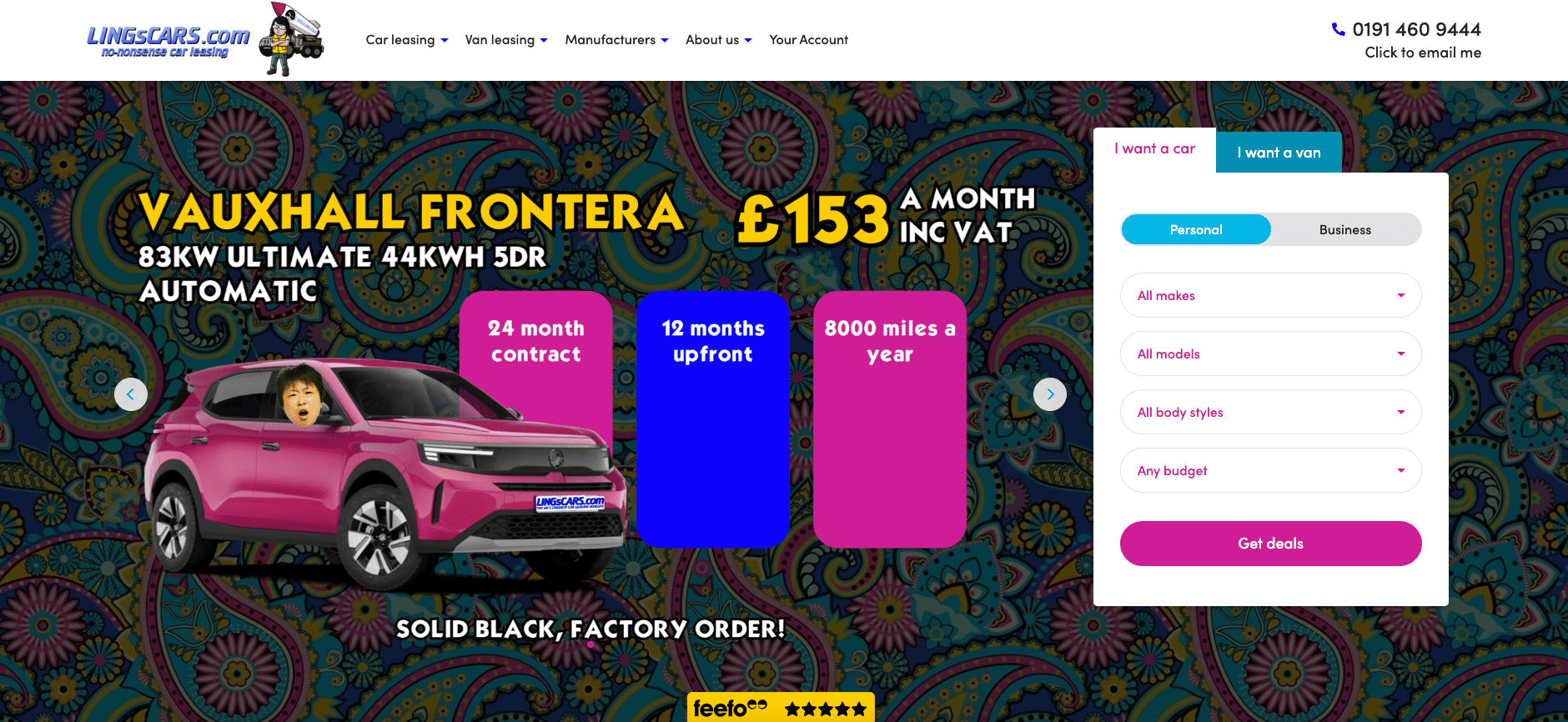
Ling’s Cars overwhelms users with flashing banners, clashing colors, and excessive animations. Multiple elements compete for attention at once, leaving no clear focal point. This creates a chaotic experience rather than an engaging one, reflecting common web design mistakes.
Reducing unnecessary motion and limiting the color palette would immediately improve clarity. Establishing a clear visual hierarchy helps users understand priorities and focus on key actions.
3. Arngren

Arngren presents products in a cluttered layout with no clear alignment, grouping, or even whitespace. Images, text, and links appear scattered, making it difficult for users to locate important information. This lack of structure causes poor usability, which is why it is frequently cited among bad website design examples.
Applying a grid-based layout would create visual order and improve scanning. Grouping related products helps users navigate the page more easily. Adding adequate whitespace would give content room to breathe, reduce visual stress, and make key information easier to identify at a glance.
4. Gates N Fences
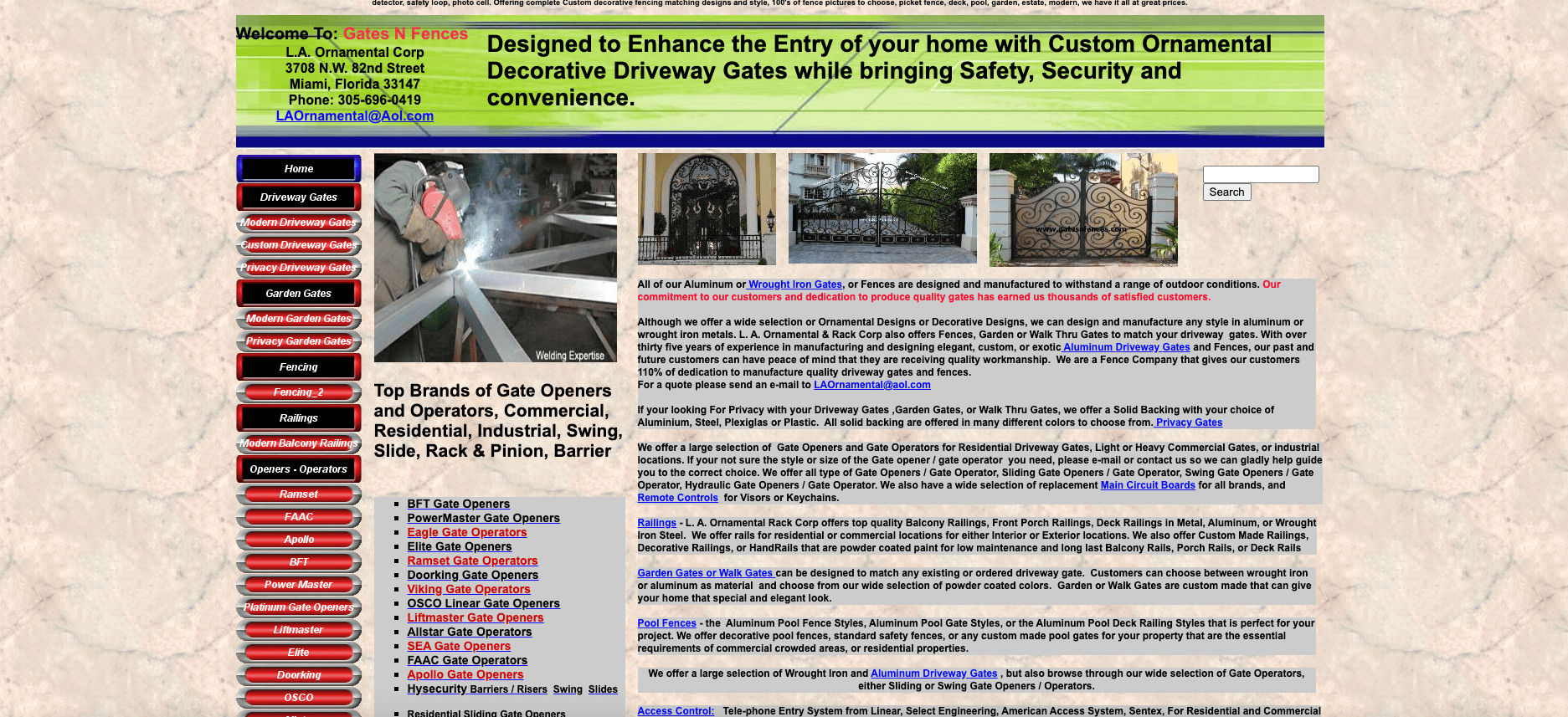
Gates N Fences relies on long text blocks with little visual separation. Services and descriptions blend, making content difficult to scan. Users are forced to read extensively just to understand basic offerings, which hurts usability.
Introducing more spacing and clear section breaks would significantly improve readability. Strong headings and better content grouping help users locate information faster.
Also Read: Visual Powerhouses: Mastering the Webflow vs WordPress Choice
5. Space Jam Movie Website
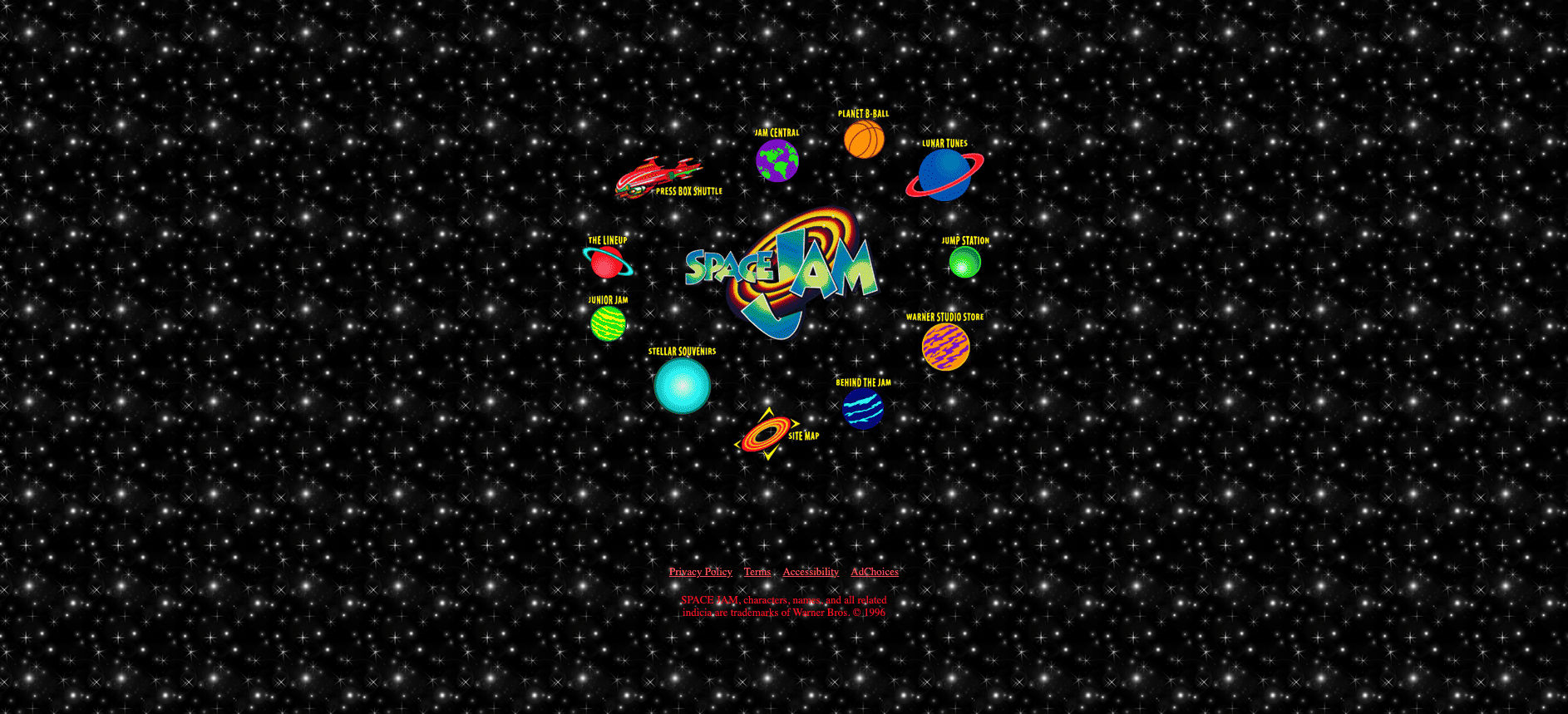
The Space Jam website has outdated navigation patterns and small clickable elements. Bright colors and unconventional layouts interfere with usability. First-time visitors may struggle to orient themselves, making this a classic example of bad website design.
Updating navigation to modern standards would improve accessibility. Larger, touch-friendly elements support better interaction.
6. Suzanne Collins Official Website
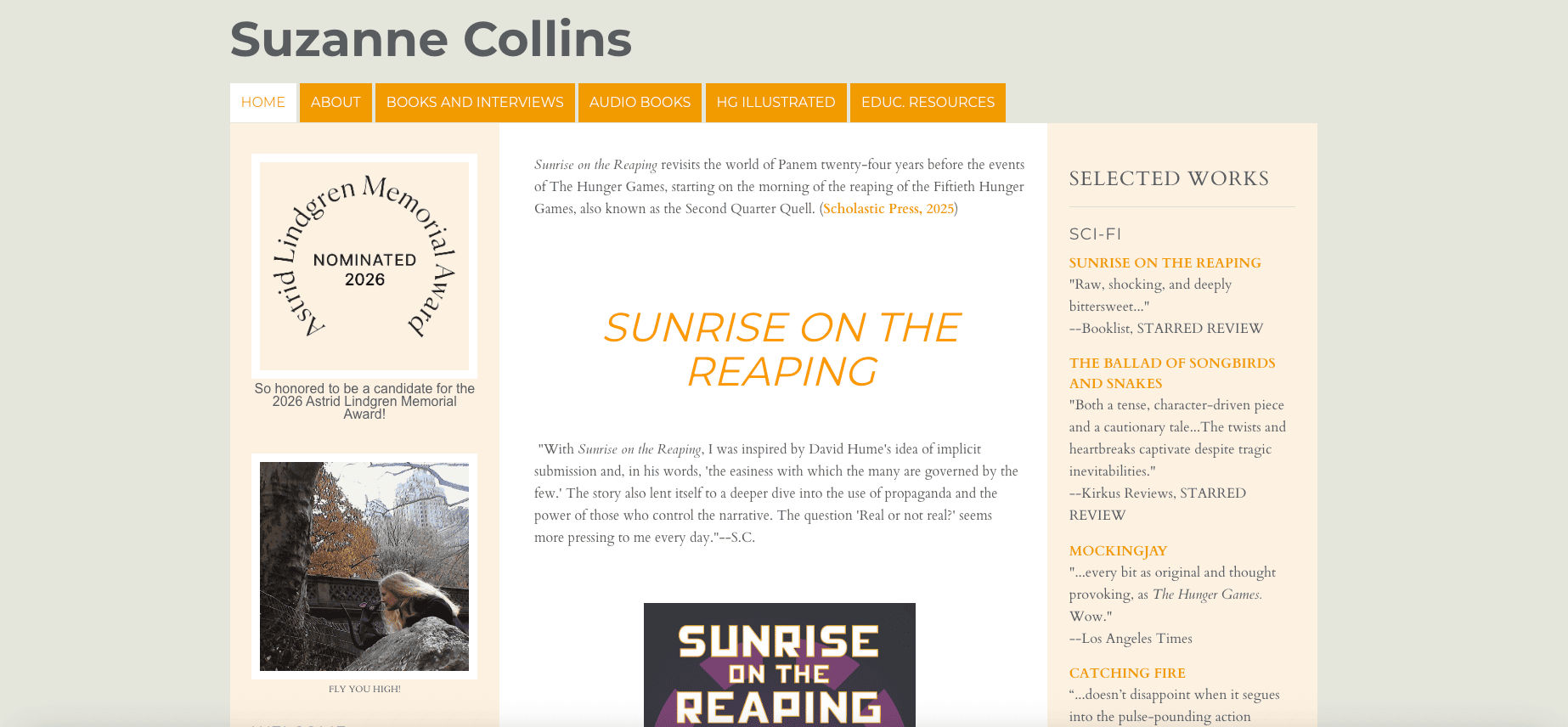
Even minimal designs require structure to feel polished and professional, which highlights the issue with Suzanne Collins’ website. The site uses a static layout with limited visual hierarchy. Content sections appear flat, making it difficult to distinguish priority information.
Improving typographic contrast would guide user attention more effectively. Establishing a clear hierarchy along with stronger branding cues would help users scan content effortlessly and better reflect the author’s identity.
7. Pacific Northwest X-Ray
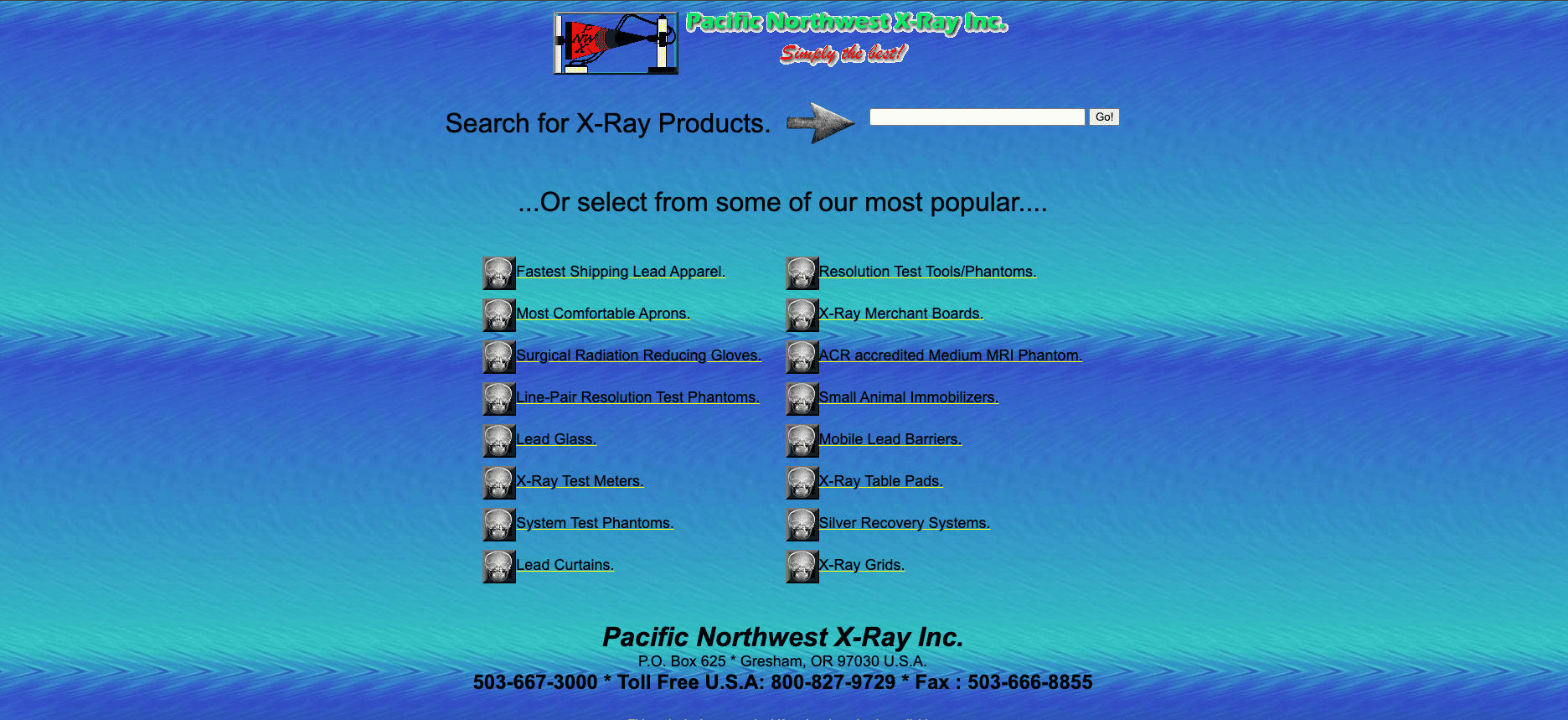
Pacific Northwest X-Ray uses an outdated interface with an unclear layout and an eye-straining background that feels rigid and overly technical. Navigation labels are difficult to understand for users unfamiliar with the industry, and important actions are not visually emphasized.
Designers should simplify navigation language and improve contrast to reduce visual strain. A clearer layout and user-friendly cues help align the site with its audience and create a more comfortable browsing experience.
Also Read: Elements and Principles of Design for Better Visual Design
8. Berkshire Hathaway
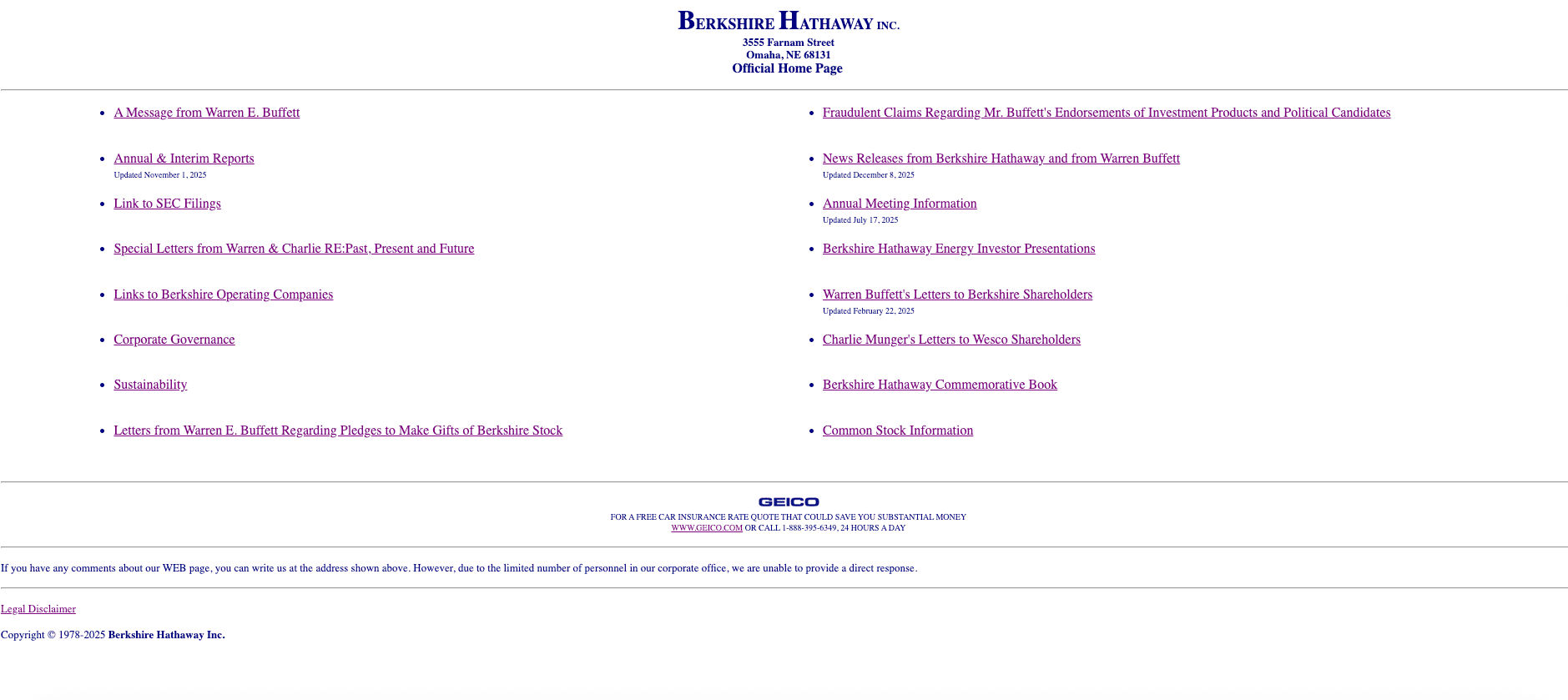
Berkshire Hathaway’s website lacks a clear layout and visual hierarchy. Content is presented as various links with little differentiation, making it difficult for users to understand the structure or prioritize information.
Using a well-structured website template would help establish a clear layout and navigation flow. With a few thoughtful adjustments to typography, spacing, and branding elements, designers can maintain simplicity while creating a more distinctive and user-friendly experience.
9. Craigslist
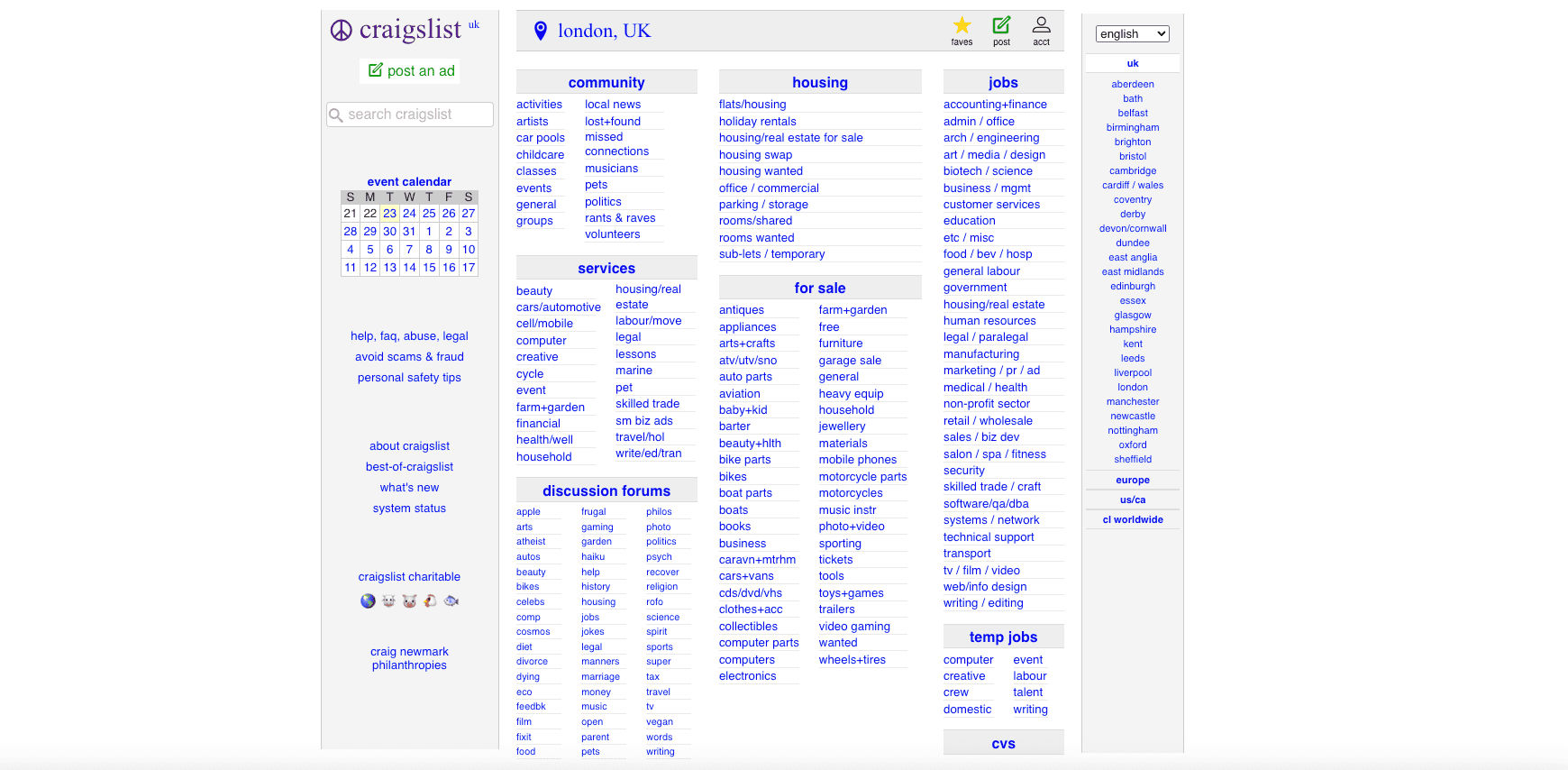
Craigslist focuses heavily on functionality over visual design, relying on a text-based layout filled with categories and listings. While practical, the interface appears dull and overwhelming, which can lead to confusion and visual fatigue for users.
Designers should provide a layout that supports a seamless reading flow. Clear grouping, improved spacing, and visual hierarchy help users scan content more comfortably and make decisions faster without unnecessary strain.
10. Frontier Airlines
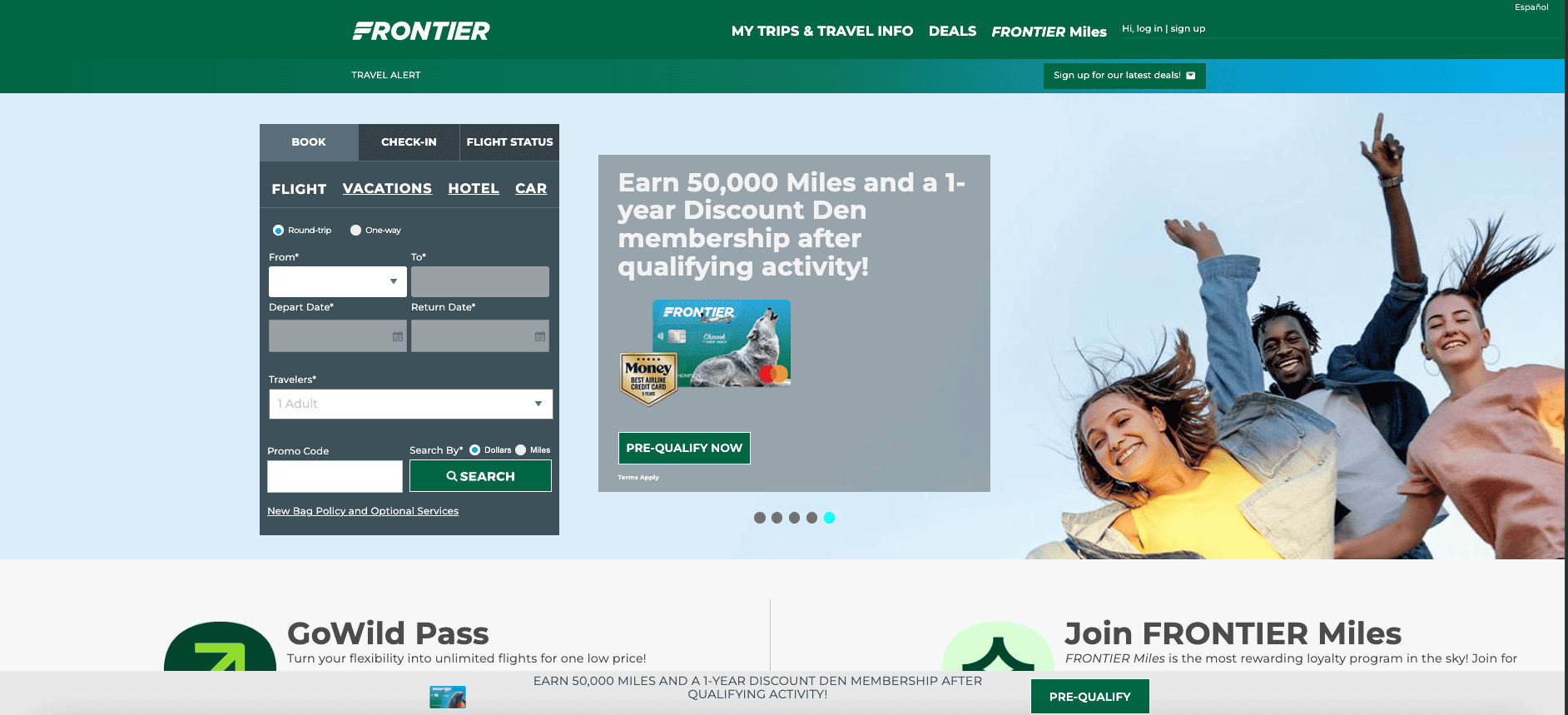
Frontier Airlines displays numerous banners, promotions, and calls to action that compete for attention. Key booking steps are visually overshadowed by marketing elements, forcing users to search for essential actions.
Simplifying the layout would help users focus on the booking process. Clear visual priorities guide attention to important steps and reduce confusion, while promotions and CTAs should be integrated naturally without interrupting the user journey.
Also Read: Top 7 Graphic Design Best Software for 2026 for Designers
Avoid Website Design Mistakes and Build Better Web Experiences!
Across these examples, the main issue is not the platform itself, but a lack of visual clarity and user-centered design. Disorganized layouts, low contrast, and weak typography repeatedly make websites feel unreliable. These patterns appear across industries and audiences.
To avoid bad website design, designers must prioritize readability and consistency. Typography plays a critical role in guiding users and shaping perception. Clean, professional fonts help establish hierarchy and improve scanning behavior.
Choosing high-quality web fonts is a simple yet effective way to improve design clarity. If you want to strengthen usability and brand perception, consider exploring premium font collections from HansCo Studio. Thoughtfully designed fonts support hierarchy, reinforce brand identity, and help websites feel more trustworthy.